




MMGuardian helps parents keep their children safe in an online world
Location Tracking
Worried that your child is not where they are supposed to be? Quickly find their location with MMGuardian.
Message Monitoring
When necessary, read your child’s sent and received text messages, even if they are deleted.
Safety Alerts
MMGuardian automatically scans and analyzes messages and pictures to alert parents to situations of concern.
Contact Management
Control who can call or text your child’s Android phone with advanced contact management controls.
Web Filtering & Blocking
Make your child’s online experience a safer one by filtering websites and blocking specific URLs.
Looking For An Affordable Airtime Plan For Your Child's Phone?
Unlimited text & talk with 4GB data from $15 per month
The Best Parental Control App Coverage
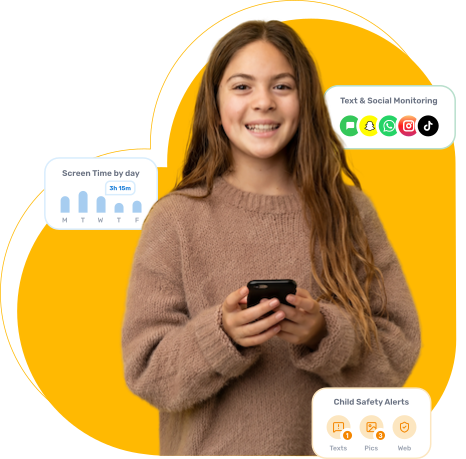
Text And Social Media Monitoring
Content Analysis & Child Safety Alerts
Parent Information Center
Get expert advice, opinions, and tips from world leading child safety experts.
Learn more about topics like raising children in an online world, why you should create a Safety Contract, and more.
More videos and a sample Safety Contract are available in the Info Center
MMGuardian Parental Control App Functions
Select the type of phone or tablet that your child uses, and learn more about how MMGuardian can help you protect your child
View detailed reports of SMS texts and messages from selected social messaging apps, including WhatsApp, Instagram and Facebook messenger.
Detailed reports of messages, web browsing and phone activity enable you to see the big picture or dive into specific areas of interest or concern. The reports are available at the secure Parent Web Portal or in the MMGuardian Parent App which we recommend you to install on your own phone.
Receive an alert when a message is indicative of cyberbullying, drugs, suicidal thoughts, violence or one of several other categories. Or, if an image in an MMS message or saved on the phone may be inappropriate (nudity).
Block Websites containing porn, adult or other inappropriate content using the Web Filter function. Select which categories of websites are allowed or should be blocked, or set up specific URLs and domains to allow or block.
There will be times when you don’t want your child to be able to use their phone such as when they should be asleep. Use Time Limits to define times when their phone will be locked and cannot be used, other than for emergency calls.
Block Apps including WhatsApp, SnapChat, Instagram and PlayStore. Control which apps your child gets to use and when and set daily usage limits to preventing excessive use of social media apps or games.
Protect your child from bad influences or bullying by blocking calls and SMS messages with undesired contacts. Contact Block allows you to either set a block list for specific numbers and contacts or create a list of allowed numbers and contacts.
Worried that your child is not where they are supposed to be? Use the Parent App on your phone or the Parent Web Portal to instantly find out where your child’s phone is on demand or at pre-set times during the day and week.
Detailed reports of messages, web browsing and phone activity enable you to see the big picture or dive into specific areas of interest or concern. The reports are available at the secure Parent Web Portal or in the MMGuardian Parent App which we recommend you to install on your own phone.
Receive alerts in real time for various events that as a parent you will want to know about immediately. Alerts will cover things such as new app install, call block, location updates and attempts to view a blocked website.
Block Websites containing porn, adult or other inappropriate content using the Web Filter function. Select which categories of websites are allowed or should be blocked, or set up specific URLs and domains to allow or block.
There will be times when you don’t want your child to be able to use their phone such as when they should be asleep. Use Time Limits to define times when their phone will be locked and cannot be used, other than for emergency calls.
Block Apps including WhatsApp, SnapChat, Instagram and PlayStore. Control which apps your child gets to use and when and set daily usage limits to preventing excessive use of social media apps or games.
View detailed reports of iMessage and SMS messages and receive an alert when a message is indicative of cyberbullying, drugs, suicidal thoughts, violence or one of several other categories.
Receive an alert when a message is indicative of cyberbullying, drugs, suicidal thoughts, violence or one of several other categories. Or, if an image saved on the phone may be inappropriate (nudity).
Block Websites containing porn, adult or other inappropriate content using the Web Filter function. Select which categories of websites are allowed or should be blocked, or set up specific URLs and domains to allow or block.
Disable all downloaded apps based on a pre-defined schedule or as required.
Detailed reports of messages, web browsing and phone calls enable you to see the big picture or dive into specific areas of interest or concern. The reports are available at the secure Parent Web Portal or in the MMGuardian Parent App which we recommend you to install on your own phone.
Worried that you child is not where they are supposed to be? Use the Parent App on your phone or the Parent Web Portal to find out where your child is right now.
Disable the camera, set content ratings for apps and movies from iTunes, lock or erase the device should it be lost or stolen.
Teen Slang Word Glossary for Parents
Get a better understanding about how your child communicates with their peers. Our slang glossary identifies terms that are ok and, more importantly, terms that aren’t.
Look them up in our comprehensive list of slang words used by teenagers!
What Parents Say About The MMGuardian Parental Control App
How to Get Started with the MMGuardian Parental Control App
Install the Parent App on your own phone
Install the Child App on your child’s phone
Monitor and control your child’s phone from your own phone.
MMGuardian Pricing
Monthly Subscription
Family Plan-
Up to 5 child devices
Annual Subscription
Family Plan-
Up to 5 child devices
5 Year License
Family Plan-
Up to 5 child devices
Monthly Subscription
Single Phone-
For one child phone
Annual Subscription
Single Phone-
For one child phone