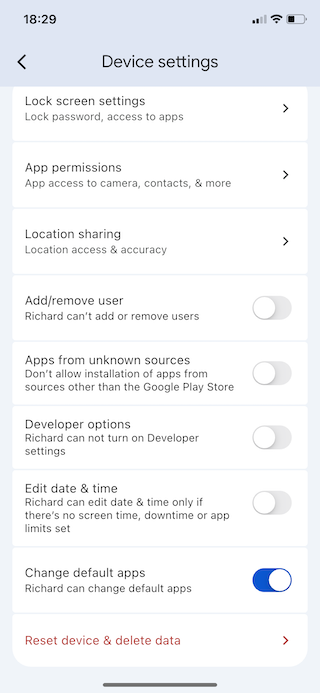
Family Link Settings
Change Default Apps
For recent versions of Android, Google added a function to Family Link to prevent the child phone user from being able to change default apps. This function must be set to allow the phone user to change change default apps.
The type of apps that can be set as the Default App for the phone include the phone app, the web browser, the messaging app and the caller ID and call redirecting apps.
If your child’s phone is an Android phone, some MMGuardian functionality requires the MMGuardian app be set as a default app.
Text message (SMS) reports and text blocking requires that the MMGuardian Messaging app for Android be set as the phone’s default messaging app.
Call reports and call blocking requires that the main MMGuardian child phone app be set as both the default caller ID and the default call redirection app for the phone.
How To Enable Change Default Apps
In the parent Family Link app, select the child device:
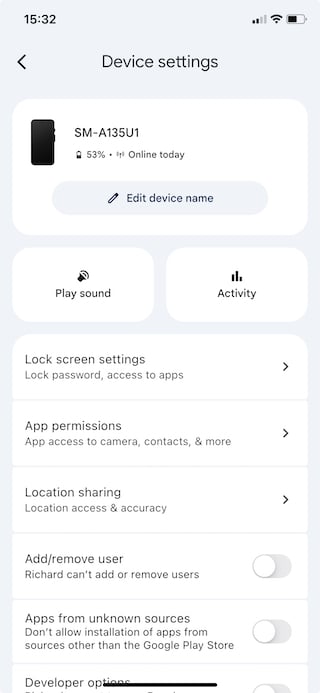
Scroll down to Change Default Apps then tap the switch to turn it on: